Check the spec
Charset, lengths and check-digit rules for this symbology are listed above — the form enforces them instantly.
Free tools · Barcodes
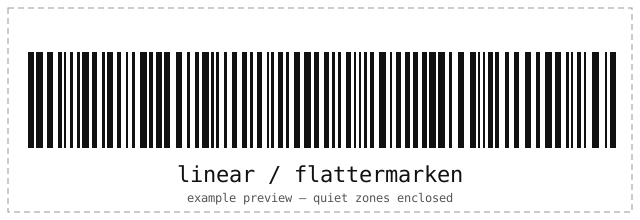
Page-sequence marks for print finishing and bindery workflows. Type the payload for Flattermarken below — validation, check digits and a local scan-test run in your browser before anything exports.
Barcode generator
Runs locally in your browser. Nothing is uploaded; the field clears after ten idle minutes.
Each digit selects one page-mark position in a 9-unit cell; 0 leaves that cell blank.
This profile keeps its verified vertical geometry fixed; Print SVG uses its profile-specific geometry.
| Standards | Flattermarken bindery marks |
|---|---|
| Character set | Digits only, 1–80 digits. Each digit selects one mark position in a 9-unit cell; 0 leaves a blank cell. |
| Lengths | 11099 |
| Check digits | Positional marks — no check digit. |
| Quiet zone | Cell-internal positioning, not scanner quiet zones. |
| Capacity | Digits, each selecting a 9-unit cell position. |
Flattermarken labels industrial parts, documents and work orders: print it on badges, boards and bins where rugged 1D scanners operate.
Related formats
How it works
The same engine that reads barcodes writes them — every symbol is decoded again before you see it.
Charset, lengths and check-digit rules for this symbology are listed above — the form enforces them instantly.
Every symbol is validated and decoded again on your device before it is shown.
Take a resolution-independent SVG for print or a PNG for sharing. Nothing is uploaded.
Questions
If you manage servers by hand, see the engineering services behind this tools series.
Digits only, 1–80 digits. Each digit selects one mark position in a 9-unit cell; 0 leaves a blank cell. Example: 11099.
Positional marks — no check digit. Cell-internal positioning, not scanner quiet zones. Export SVG for print and PNG for sharing; both render on your device.
No. Encoding and verification run entirely in your browser — the page makes no network requests with your data, stores nothing, and wipes the field after ten idle minutes.
Related tools
Every tool runs entirely in your browser — no accounts, no uploads.
2D CODE / GENERATE
Generate QR, Data Matrix, Aztec, PDF417 and MaxiCode with error-correction, color and frame controls — validated and scan-verified in your browser.
Open the toolBARCODE / SCAN
Decode 1D, 2D and postal barcodes from an uploaded image or your camera, with honest format and profile details. Nothing is uploaded anywhere.
Open the toolSSH / KEYS
Convert private keys between PuTTY .ppk, OpenSSH and legacy PEM formats — both directions, encrypted keys supported. Your key never leaves your browser.
Open the tool