Check the spec
Charset, lengths and check-digit rules for this symbology are listed above — the form enforces them instantly.
Free tools · Barcodes
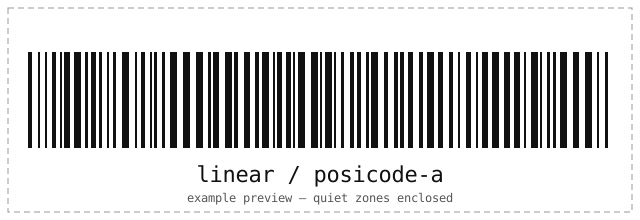
PosiCode version A. Type the payload for PosiCode A below — validation, check digits and a local scan-test run in your browser before anything exports.
Barcode generator
Runs locally in your browser. Nothing is uploaded; the field clears after ten idle minutes.
Bar height stretches bars vertically, which scanners ignore (only horizontal timing matters). The SVG download keeps the engine's exact geometry.
| Standards | PosiCode specification |
|---|---|
| Character set | Printable ASCII; generate-only because no qualified local reader is available. |
| Lengths | ABC123 |
| Check digits | Engine-validated structure; no qualified local raster reader. |
| Quiet zone | Profile quiet area. |
| Capacity | Printable ASCII here. |
PosiCode A labels industrial parts, documents and work orders: print it on badges, boards and bins where rugged 1D scanners operate.
Related formats
How it works
The same engine that reads barcodes writes them — every symbol is decoded again before you see it.
Charset, lengths and check-digit rules for this symbology are listed above — the form enforces them instantly.
Every symbol is validated and decoded again on your device before it is shown.
Take a resolution-independent SVG for print or a PNG for sharing. Nothing is uploaded.
Questions
If you manage servers by hand, see the engineering services behind this tools series.
Printable ASCII; generate-only because no qualified local reader is available. Example: ABC123.
Engine-validated structure; no qualified local raster reader. Profile quiet area. Export SVG for print and PNG for sharing; both render on your device.
No. Encoding and verification run entirely in your browser — the page makes no network requests with your data, stores nothing, and wipes the field after ten idle minutes.
Related tools
Every tool runs entirely in your browser — no accounts, no uploads.
2D CODE / GENERATE
Generate QR, Data Matrix, Aztec, PDF417 and MaxiCode with error-correction, color and frame controls — validated and scan-verified in your browser.
Open the toolBARCODE / SCAN
Decode 1D, 2D and postal barcodes from an uploaded image or your camera, with honest format and profile details. Nothing is uploaded anywhere.
Open the toolSSH / KEYS
Convert private keys between PuTTY .ppk, OpenSSH and legacy PEM formats — both directions, encrypted keys supported. Your key never leaves your browser.
Open the tool