Check the spec
Capacity, error correction and shape controls for this symbology are listed above.
Free tools · Barcodes
Dedicated GS1 Data Matrix profile with FNC1/application-identifier semantics. Configure GS1 Data Matrix below — Use GS1 AI syntax. BWIPP owns FNC1/separator encoding. Every symbol is decoded again on your device before export.
2D code generator
Runs locally in your browser. Nothing is uploaded; the field clears after ten idle minutes.
This symbology has no tunable options — the engine picks the densest valid symbol.
GS1 Data Matrix stays black on white until this output path has an independent color/raster qualification.
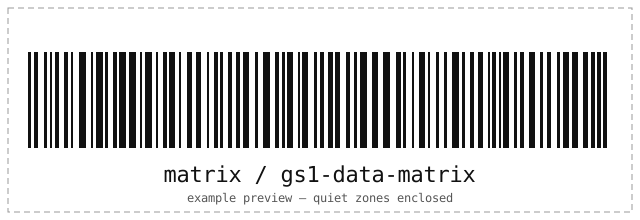
Frame and caption ship in the SVG download; PNG exports the bare symbol.
| Standards | GS1 General Specifications / ISO/IEC 16022 |
|---|---|
| Character set | Use GS1 AI syntax. BWIPP owns FNC1/separator encoding. |
| Lengths | (01)09501101530003(17)271231(10)LOT123 |
| Check digits | Error correction fixed by the symbology or QR-studio owned. |
| Quiet zone | Specification quiet zone enforced in preview and export (2 modules minimum for matrix symbols). |
| Geometry | Matrix Symbologies; engine selects the smallest fitting symbol unless pinned. |
| Capacity | Up to ~2000 characters here; the engine enforces exact capacity. |
GS1 Data Matrix marks small parts and documents with dense square symbols: etch or print it where Data Matrix-style readers expect machine-readable serials.
Related formats
How it works
The same engine that reads 2D codes writes them — every symbol is decoded again before you see it.
Capacity, error correction and shape controls for this symbology are listed above.
Only the controls this symbology accepts are shown; every symbol is read back to prove it scans.
Take a resolution-independent SVG or a PNG at your chosen module size. Nothing is uploaded.
Questions
If you manage servers by hand, see the engineering services behind this tools series.
Use GS1 AI syntax. BWIPP owns FNC1/separator encoding. Example input is prefilled when the page loads.
Error correction fixed by the symbology or QR-studio owned. Keep the quiet zone calm, use black-on-white for print, and export SVG for anything that gets resized.
No. Encoding and verification run entirely in your browser — the page makes no network requests with your data, stores nothing, and wipes the field after ten idle minutes.
Related tools
Every tool runs entirely in your browser — no accounts, no uploads.
BARCODE / GENERATE
Generate EAN, UPC, ISBN, GS1 DataBar, Code 128, Code 39, Telepen and more 1D codes — validated and scan-verified in your browser.
Open the toolBARCODE / SCAN
Decode 1D, 2D and postal barcodes from an uploaded image or your camera, with honest format and profile details. Nothing is uploaded anywhere.
Open the toolSSH / KEYS
Convert private keys between PuTTY .ppk, OpenSSH and legacy PEM formats — both directions, encrypted keys supported. Your key never leaves your browser.
Open the tool