Check the spec
Capacity, error correction and shape controls for this symbology are listed above.
Free tools · Barcodes
HIBC SLS/PAS healthcare data in QR Code. Configure HIBC QR Code below — Enter an SLS body or PAS /... body without leading + or final check. Mod-43 is computed locally and the screen symbol is reader-verified. Every symbol is decoded again on your device before export.
2D code generator
Runs locally in your browser. Nothing is uploaded; the field clears after ten idle minutes.
This symbology has no tunable options — the engine picks the densest valid symbol.
Symbol contrast 100.0% (minimum 40%). The companion color adjusts automatically to hold the minimum; downloads additionally require the colored symbol to re-decode.
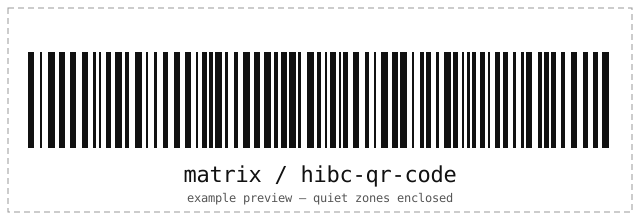
Frame and caption ship in the SVG download; PNG exports the bare symbol.
| Standards | ANSI/HIBC |
|---|---|
| Character set | Enter an SLS body or PAS /... body without leading + or final check. Mod-43 is computed locally and the screen symbol is reader-verified. |
| Lengths | A123BJC5D6E71 |
| Check digits | Error correction fixed by the symbology or QR-studio owned. |
| Quiet zone | Specification quiet zone enforced in preview and export (2 modules minimum for matrix symbols). |
| Geometry | QR Family & Payments; engine selects the smallest fitting symbol unless pinned. |
| Capacity | Up to ~500 characters here; the engine enforces exact capacity. |
HIBC QR Code carries links, payments and credentials where phone cameras do the scanning: print it on packaging, bills and signage with a calm quiet zone.
Related formats
How it works
The same engine that reads 2D codes writes them — every symbol is decoded again before you see it.
Capacity, error correction and shape controls for this symbology are listed above.
Only the controls this symbology accepts are shown; every symbol is read back to prove it scans.
Take a resolution-independent SVG or a PNG at your chosen module size. Nothing is uploaded.
Questions
If you manage servers by hand, see the engineering services behind this tools series.
Enter an SLS body or PAS /... body without leading + or final check. Mod-43 is computed locally and the screen symbol is reader-verified. Example input is prefilled when the page loads.
Error correction fixed by the symbology or QR-studio owned. Keep the quiet zone calm, use black-on-white for print, and export SVG for anything that gets resized.
No. Encoding and verification run entirely in your browser — the page makes no network requests with your data, stores nothing, and wipes the field after ten idle minutes.
Related tools
Every tool runs entirely in your browser — no accounts, no uploads.
BARCODE / GENERATE
Generate EAN, UPC, ISBN, GS1 DataBar, Code 128, Code 39, Telepen and more 1D codes — validated and scan-verified in your browser.
Open the toolBARCODE / SCAN
Decode 1D, 2D and postal barcodes from an uploaded image or your camera, with honest format and profile details. Nothing is uploaded anywhere.
Open the toolSSH / KEYS
Convert private keys between PuTTY .ppk, OpenSSH and legacy PEM formats — both directions, encrypted keys supported. Your key never leaves your browser.
Open the tool