Check the spec
Lengths and check-digit rules for this postal symbology are listed above.
Free tools · Logistics
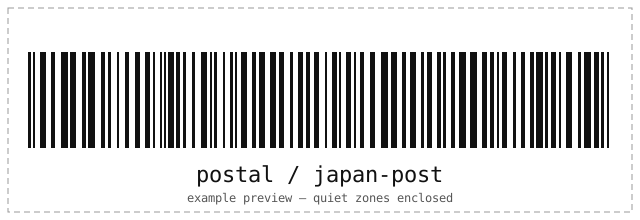
Japan Post 4-state barcode for postal codes and addresses. Enter Postal/address data, e.g. 350110622-1A308 for Japan Post Customer Code below — lengths and check digits validate instantly in your browser before the symbol renders.
Postal barcode generator
Runs locally in your browser. Nothing is uploaded; validation errors name the exact rule.
Rendering symbol…
| Standards | Japan Post specifications |
|---|---|
| Character set | Digits, A–Z and hyphen. Digits/hyphens use 1 symbol unit; letters compact to 2. Maximum 20 symbol units. |
| Lengths | Postal/address data, e.g. 350110622-1A308 |
| Check digits | Check-digit rules enforced by the native engine; see input hint. |
| Quiet zone | Calm quiet zones on both sides; pure black on white for sorter readability. |
| Capacity | Digits, A–Z and hyphen. Digits/hyphens use 1 symbol unit; letters compact to 2. Maximum 20 symbol units. |
Japan Post Customer Code routes Asia-Pacific mail through automated sorters: print it on envelopes and parcels where Asia-Pacific carriers expect it.
Related formats
How it works
The same engine that prints parcel labels worldwide, running in your browser.
Lengths and check-digit rules for this postal symbology are listed above.
The on-device engine enforces the rest and appends check digits where the standard says so.
The symbol is rasterized and read back locally before preview and downloads unlock.
Questions
If you manage servers by hand, see the engineering services behind this tools series.
Digits, A–Z and hyphen. Digits/hyphens use 1 symbol unit; letters compact to 2. Maximum 20 symbol units. Try the example 350110622-1A308 first.
Digits, A–Z and hyphen. Digits/hyphens use 1 symbol unit; letters compact to 2. Maximum 20 symbol units. The engine computes or verifies it and names the expected digit on mismatch.
No. Encoding and verification run entirely in your browser — the page makes no network requests with your data, stores nothing, and wipes the field after ten idle minutes.
Related tools
Every tool runs entirely in your browser — no accounts, no uploads.
VDA 4994 / LABEL
Generate VDA 4994 Single, Master and Mixed transport labels with ZF LIFETEC preset — validated and scan-verified in your browser.
Open the toolVDA 4902 / LABEL
Generate VDA 4902 V4 A5, KLT and steel goods tags with multilingual titles, ordered Data Matrix data and a Mod-43 check value.
Open the toolVDA 4992 / MAT
Generate size-aware VDA 4992 MAT labels for 78×45 mm and 50×20 mm material packages with validated Data Matrix data.
Open the tool